
188PKR Login and Registration — Sign In, Codes and Recovery

Registration is a mobile number and a password — no email, no documents at signup. The one field people get wrong is the invitation code, because it cannot be added after the account exists. Everything else here is troubleshooting: what each error message means, why a verification code sometimes never arrives, and what changes when you move to a new phone.
Start With the One Rule
Real 188PKR login happens inside the app or on the official site. If any third-party page, WhatsApp contact or Facebook account asks you to type your password or a verification code into their form, it is phishing. No genuine agent needs either.
Everything below is troubleshooting. That paragraph is the part that costs people money when they ignore it.
Registering an Account
- Open the app and choose Register rather than Login.
- Enter your Pakistani mobile number and read it back once before continuing.
- Set a password that clears the strength meter — mixed case plus digits, eight characters or more.
- Enter an invitation code if you have one. This is the step that cannot be redone.
- Confirm you are 18 or over.
- Complete registration, then check the Promo tab for anything sitting in Unclaimed.
There is no document upload at this stage. Identity checks, where they apply, come later and usually at the point of a first withdrawal — which is covered on the deposits and withdrawals guide.
The Invitation Code
188PKR is built around invitations. Whoever invited you gets a per-downline bonus stated at up to PKR 1,200, and depending on the promotion running, you may qualify for something on your side too. The code is a numeric string, and it also travels as a link and a QR code.
It has to go in during registration. Support cannot attach a code retrospectively, and there is no settings screen where you can add one later. If a friend is inviting you, ask them to send the code in the same message as the download link. If you are the one inviting, do the same — that single habit is the difference between a referral programme that pays and one that does not. See the bonus and referral guide.
Signing In Afterwards
- Open the app. Check you are on the Login tab, not Register — they share one panel.
- Enter the mobile number you registered with.
- Enter your password, or use the code-based login option if offered.
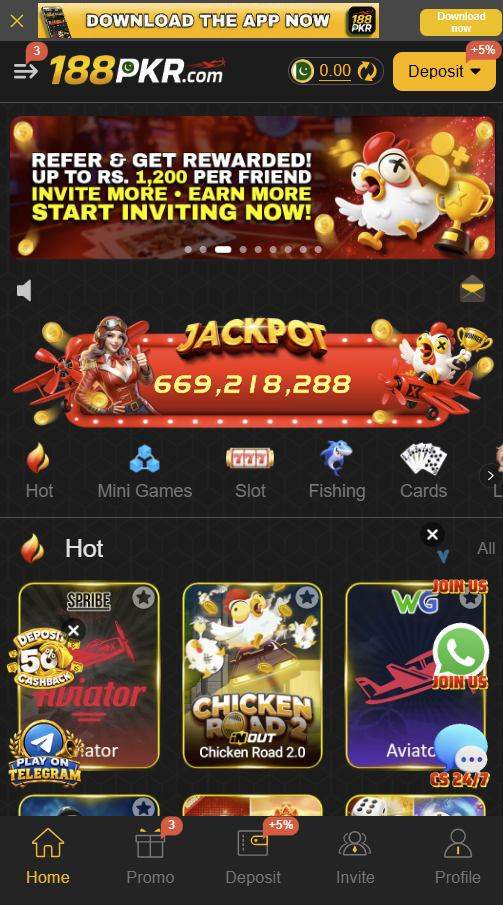
- Tap Login. The lobby loads with your balance in the header.
A password is worth setting precisely because it does not depend on a message arriving. Code-based login is convenient until the moment your signal is weak, and that moment always arrives.
When a Verification Code Does Not Arrive
Almost always a network or handset issue rather than an account problem. Work down in order:
- Turn off any VPN. A non-Pakistani exit node is the leading cause of blocked verification messages.
- Check your signal. One bar can carry data and still drop SMS. Step to a window.
- Confirm the SIM can receive messages. Prepaid SIMs left dormant for months sometimes lose messaging quietly.
- Look in spam or blocked messages. Some Android skins file short-code senders separately.
- Wait two full minutes before requesting again. Rapid re-requests trigger a rate limit and invalidate earlier codes.
- Restart the phone. More reliable than airplane mode for clearing a stalled network registration.
- Free up storage. A full message store silently drops incoming SMS on older handsets.
Still nothing after all seven? Contact support from inside the app with your registered number and roughly when you last requested. Do not post your number in a public group asking for help — that is an open invitation to impersonators.
Error Messages, Translated
| What you see | Why | What to do |
|---|---|---|
| Account not found | Signing in with a number that was never registered | Switch to the Register tab and create it first |
| Incorrect password | Wrong password, or caps lock on a keyboard | Use Forgot Password and reset via your number |
| Code invalid or expired | Used an older message after requesting a second code | Request one fresh code and use only the newest |
| Too many attempts | Repeated rapid requests tripped a rate limit | Wait 5 to 10 minutes, close the app fully, try once |
| Cannot connect | Weak internet or scheduled maintenance | Switch to Wi-Fi and retry in a few minutes |
| App will not open | Outdated build or low storage | Update, clear cache, free at least 150 MB |
| Account restricted | More than one account from the same device | One account per person. Contact in-app support |
| Blank screen after login | Weak connection during lobby load | Force close, switch to Wi-Fi, reopen |
New Phone or New Number
- New phone, same number. Install the APK, sign in with the same credentials. Expect one extra verification the first time an unrecognised device connects.
- Forgotten password. Use Forgot Password and reset through your registered number. Balance and history stay intact.
- Lost the SIM. Recovery depends on receiving a code, so it depends on holding the number. Get a replacement SIM for the same number if you can — it is far faster than a support ticket.
- Different number entirely. An account is tied to its registration number. You cannot migrate a balance yourself; open a support ticket before you stop using the old number, not after.
- Travelling. Keep roaming messages active. A VPN will not help and usually makes delivery worse.
Keeping the Account Secure
- Never share a verification code, with anyone, for any reason.
- Never enter your password on a third-party website.
- Never install a "mod" or "unlocked" build — it can read messages arriving on the same phone.
- Keep your account name identical to your JazzCash name, or withdrawals get rejected.
- One account per person and per device. Multiple accounts is the most common restriction trigger.
- Lock the phone itself. A funded account on an unlocked handset is the real exposure.
- Withdraw regularly rather than leaving a balance sitting in the app.
Not registered yet?
Download the app, register with your mobile number, and enter an invitation code on the signup screen — it is the one thing you cannot add later.
Login FAQs
Can I log in to 188PKR from a website?
The official app and the official mobile site both work. Any other website asking for your number and password is phishing, however official it looks.
Do I need an email address to register?
No. Registration takes a mobile number and a password. There is no email verification step.
Can I add an invitation code after registering?
No. It must be entered during registration, and support cannot apply it retrospectively.
Why does it say too many attempts?
Requesting verification codes repeatedly in quick succession trips a rate limit. Wait 5 to 10 minutes, close the app completely, then request one code and use it.
Can two people share one account?
No. It is tied to one number, and withdrawals must go to a wallet in that same name. Sharing risks the balance if it triggers a review.
I forgot my password. What now?
Use Forgot Password and reset through your registered number. As long as you can receive messages on that number, you do not need support.
18+ only. 188PKR.xyz is an independent guide. We do not operate the app and hold no player accounts, so we cannot recover, unlock or credit anything — only in-app support can.